Your new Student Diagnostic Growth report gives you a holistic view of each student’s progress on the IXL Diagnostic!
Easily see how students have grown over time, identify their greatest areas of need, and check if your intervention efforts are working. Plus, students can use their reports for independent growth-tracking and an extra boost of motivation!
Let’s dive into everything you’ll want to know about your new report.
Get an instant read on grade-level growth
Your report records all of a student’s pinpointed knowledge levels on the IXL Diagnostic throughout the year.
A student’s scores from Benchmarks, Snapshots, and Real-Time mode are tracked together in the line graph, giving you a continuous view of progress over time. Plus, you can add results from the previous school year for a long-term perspective on a student’s growth.
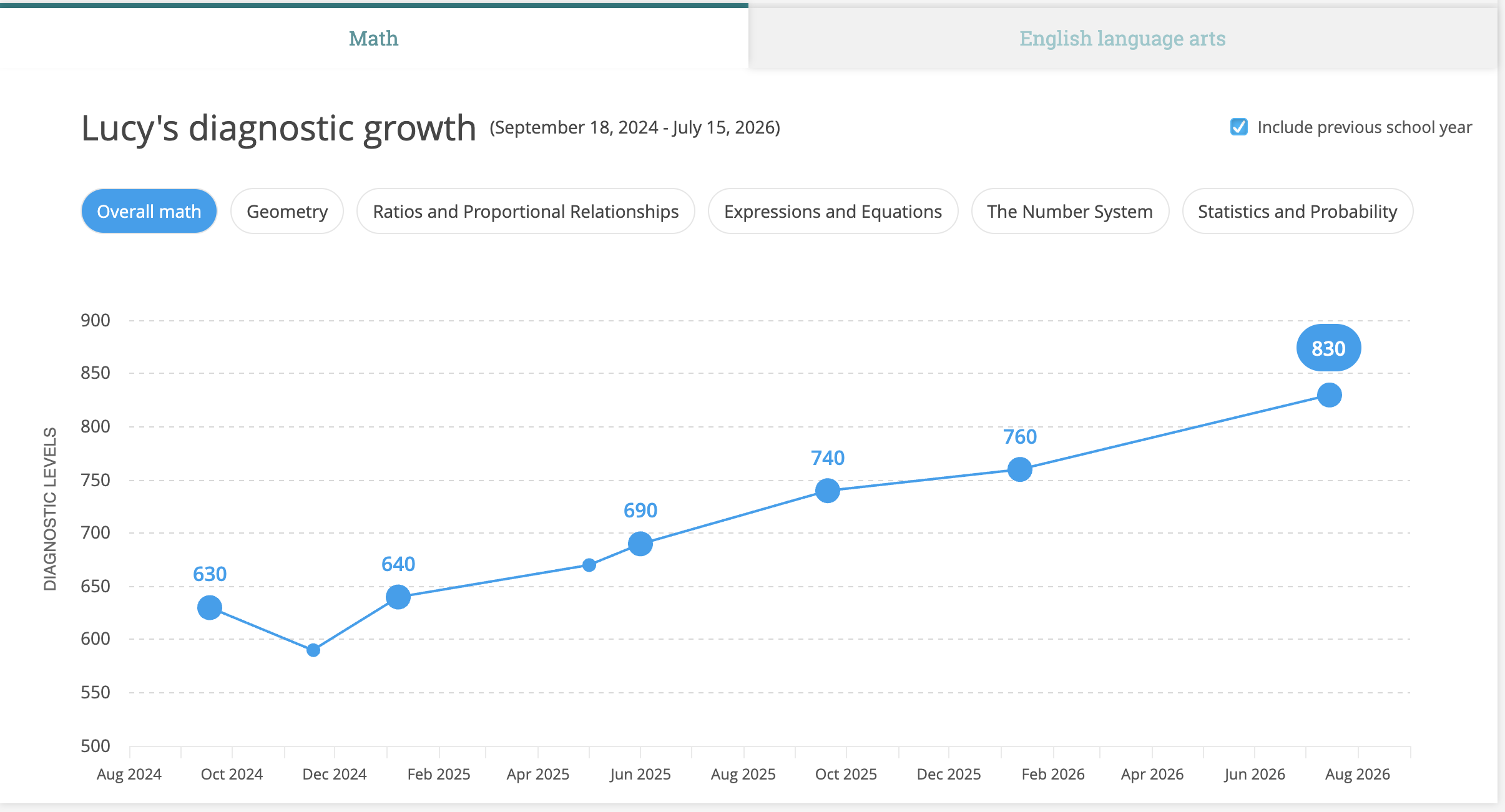
Above the graph and in the table below, you’ll see the number of points a student has grown. Students’ growth will adjust in real time as they continue to pinpoint their levels!

In the table, you can quickly compare key data points across the school year, including a student’s starting level, Benchmark and Snapshot results, and current level.
And in the .CSV export of the report, you can review students’ growth data alongside their nationally normed percentile ranks for a fuller context of their performance!
Focus your instruction on priority strands
In addition to students’ overall growth, your report drills down into Diagnostic strands!
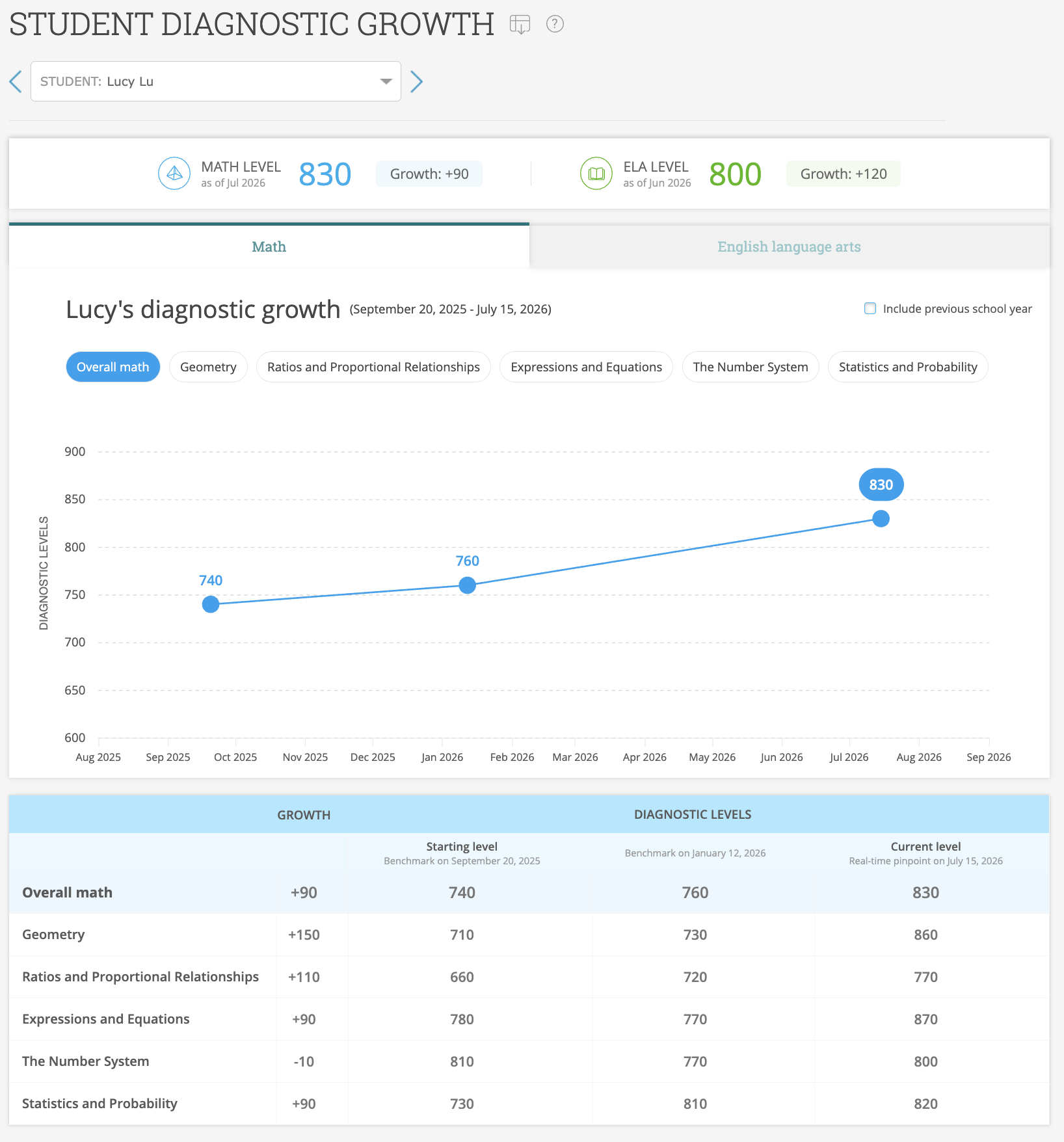
For each strand, you’ll see students’ performance over time as well as how much they’ve grown based on their latest scores.
You can readily identify which strands a student is showing steady growth in and which ones require more instructional support, enabling more focused reteaching.
Boost student motivation
Students will find their Diagnostic Growth report under the new “Assessment” tab in IXL Student Analytics, enabling them to monitor their own growth.
Not only is the report a powerful progress-tracking tool, but it’s also a great way for students to maintain motivation. Watching their own growth take shape can inspire students to continue striving toward their goals and reach their full potential!
Ready to explore your new report? Find it under the “Assessment” tab within IXL Analytics!
For expert guidance and resources on the IXL Diagnostic, visit the Diagnostic Resource Hub.