
There’s a quick and easy way to see how many of your students have completed their Diagnostic assessment: the LevelUp Diagnostic Status report!
This new report gives administrators and teachers live insight into their active LevelUp Benchmark and Snapshot windows. At all times, you’ll know how close students are to finishing the Diagnostic, and where you may want to step in with extra guidance to get the most complete data.
Read on for more details about your new report!
The LevelUp Diagnostic Status report
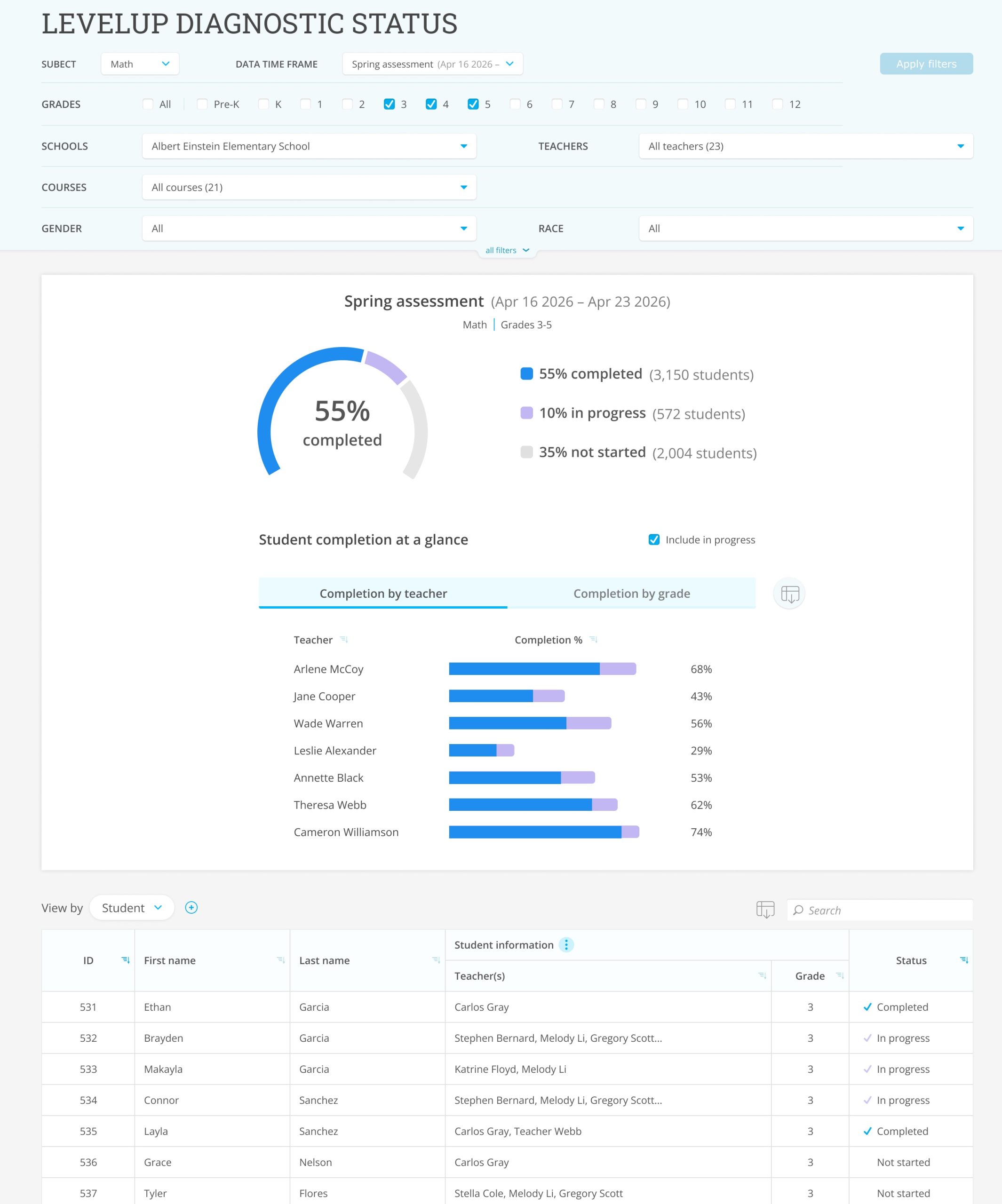
For administrators, your report gives you a comprehensive view of Diagnostic completion rates at your school or district. Just select the active assessment window using the “Data Time Frame” dropdown.
At the top, you’ll see how many students are finished, in progress, or haven’t started their assessment. Then, you can drill down into completion by school, grade, teacher, and even individual student, to direct support exactly where it’s needed.
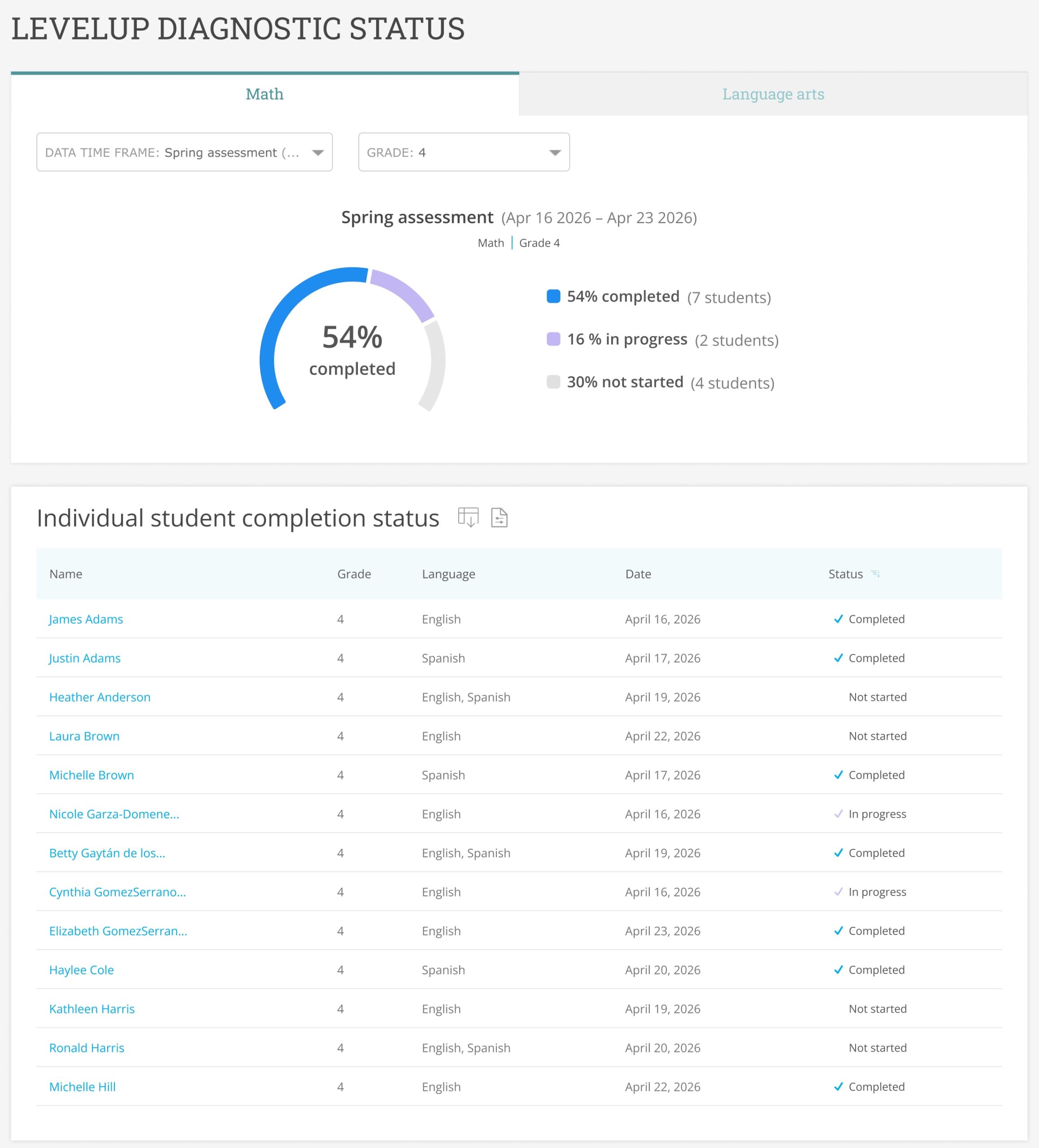
For teachers, your report keeps you up-to-date on how all of your students are progressing!
Quickly see the percentage of students who finished the Diagnostic, then check on the completion status of individual students in the table below.
Plus, in both the admin and teacher reports, you can view whether students are keeping their Diagnostic levels up to date via Real-Time mode; just select “Current levels” from the “Data Time Frame” dropdown.
Explore your new report today in IXL Admin Analytics and IXL Teacher Analytics!