Administrators, do you want an even closer look at the types of skills students are working on?
You can now drill down further into skill progress on your Skill Usage and Skill Proficiency reports!
These additional filters show you if students are:
- Building their knowledge of state standards
- Working on skills at their grade level
- Practicing their personalized Diagnostic recommendations
- Working on skills from the plans your district has prioritized
- Practicing skills from their personalized study plans
With this enhanced visibility, you can make sure students’ use of IXL matches your goals!
Read on for all the details on your new reporting tools.
See how students’ IXL usage aligns to your priorities
Your Skill Usage and Skill Proficiency reports give you important insight into your students’ work on IXL skills.
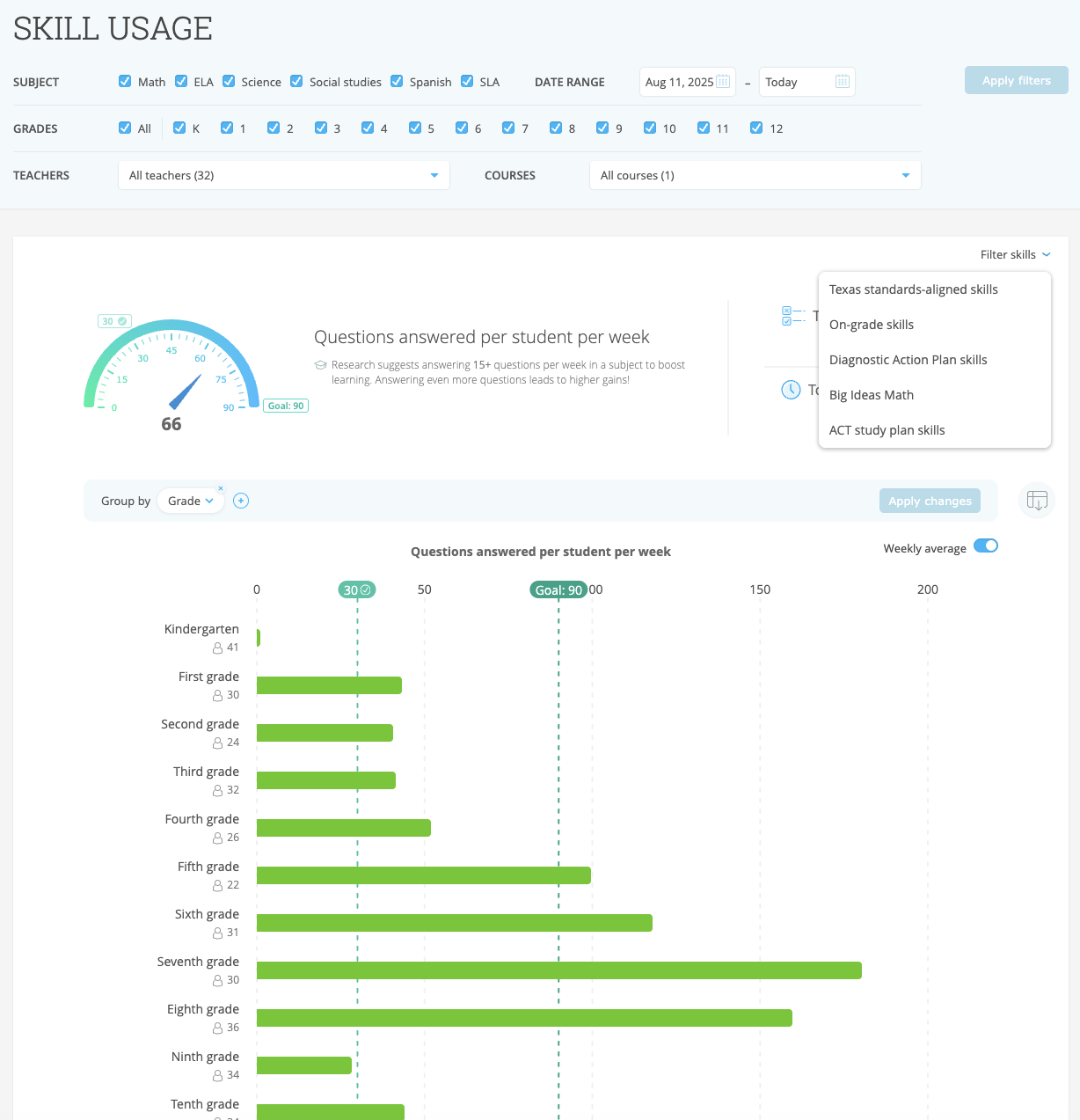
The Skill Usage report shows you the weekly average number of questions answered per student. You can also check if students are meeting the research-backed goal of answering at least 15 questions each week!
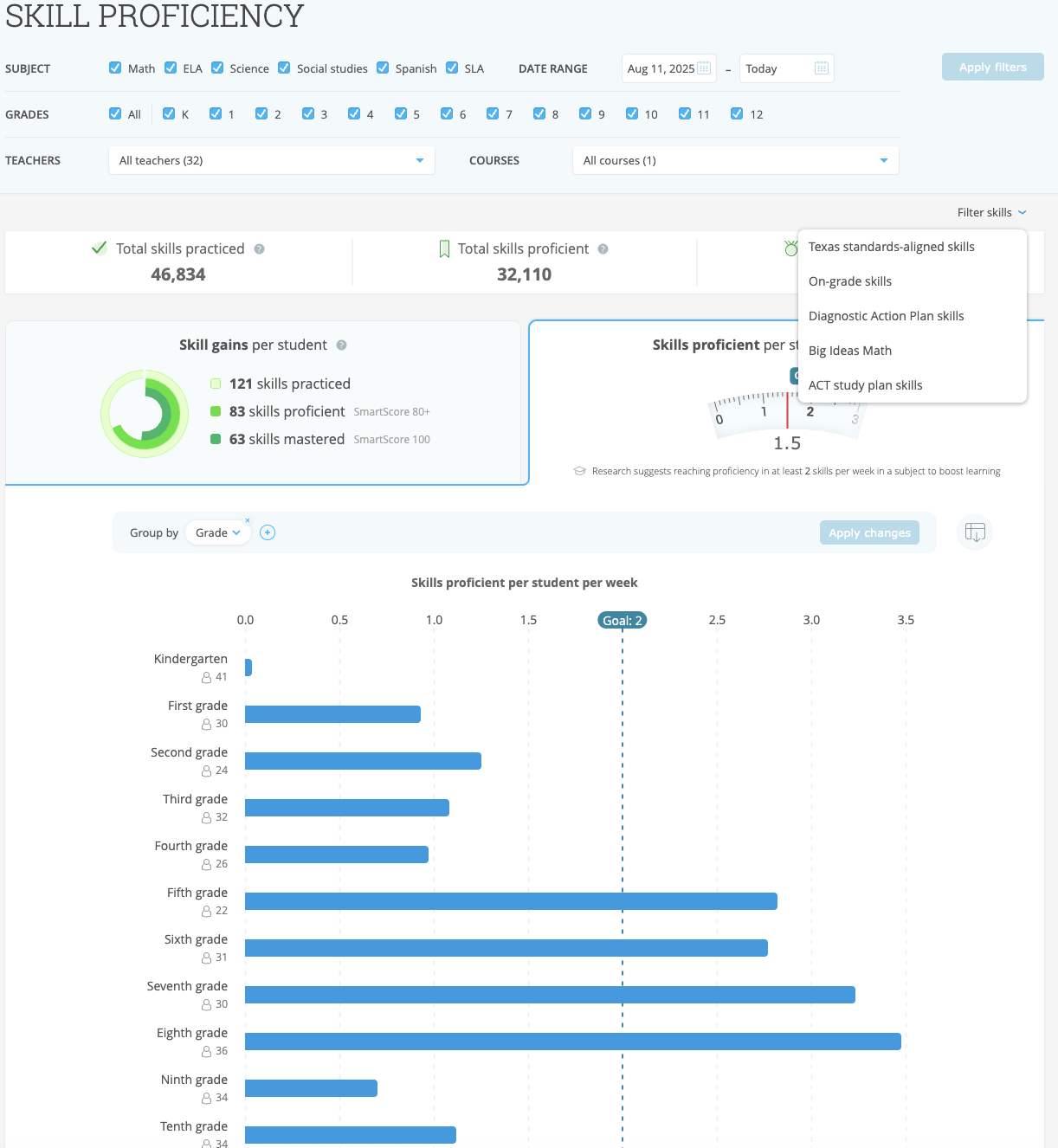
The Skill Proficiency report shows you the weekly average number of skills in which students are reaching proficiency (a SmartScore of 80). Plus, you can see whether students are meeting the research-backed goal of reaching proficiency in at least two skills per subject each week!
Now, with the “Filter skills” dropdown on both reports, you have even more precise insight into your students’ skill practice!
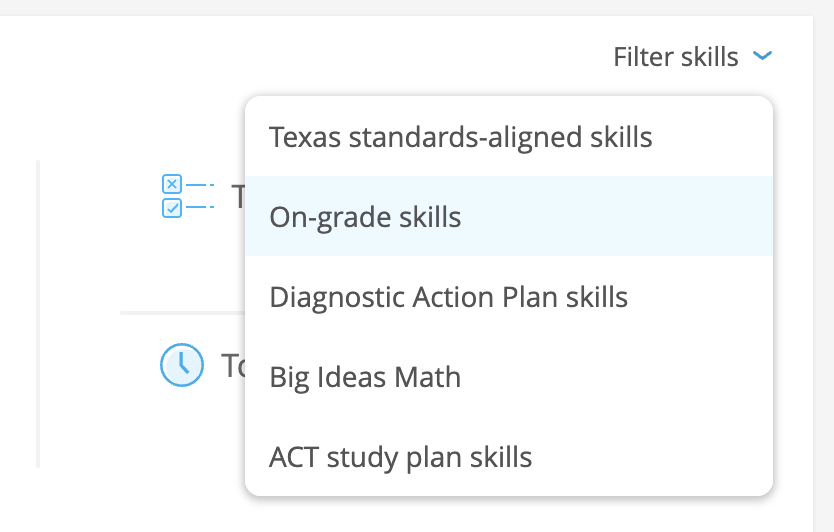
These filters enable you to hone in on high-priority skill groups, such as:
- State standards-aligned skills: See whether students are working on skills from your state’s standards skill plans! The skills in these plans are fully aligned to your state’s standards, making them the perfect instructional tool to build students’ knowledge. (Note: The state standards filter is available in the U.S. only).
- On-grade skills: See whether students are working on skills that are at their grade level.
- Diagnostic Action Plan skills: Check if students are working on skills from their Diagnostic Action Plans! Students’ Diagnostic Action Plans are personalized with the exact skills they should work on next to improve their performance in each strand.
- Skill plan skills: Are students working on skills from your district-spotlighted skill plans? Use this filter to track their practice on these skills! (Note: The skill plans filter is available only in the U.S., U.K., Canada, and Australia).
- Study plan skills: As an administrator, you can bulk-upload students’ test or practice test scores* to IXL’s StudyWise tool, which will create personalized study plans with the specific skills each student should work on to improve their performance. This filter enables you to see if students are working on skills from their study plans! (Note: The study plans filter is available in the U.S. only).
This enhanced visibility empowers you to closely monitor your implementation, so you can fine-tune where needed and ensure students’ use of IXL aligns with your strategic goals!
Explore your Skill Usage and Skill Proficiency reports today, and learn more about IXL Admin Analytics in this video.
*The following assessment study plans are supported by the filter: ACT®, Florida Assessment of Student Thinking, ILEARN ELA Checkpoints, ILEARN Math Checkpoints, PreACT®, and SAT®.
SAT® is a trademark owned by the College Board and ACT® is a trademark of ACT Education Corp. Their use here is for identification purposes only. No claim of affiliation or endorsement is made.